


Musicolet Music Player
4.610.77K Reviews
App Specs
- Version
- Varies with Device
- Updated On
- License
- Free
- Downloads
- 10,000,000+
- Developer
- Krosbits
- Categories
- Music & Audio
- Platform
- Android, iOS
Screenshots
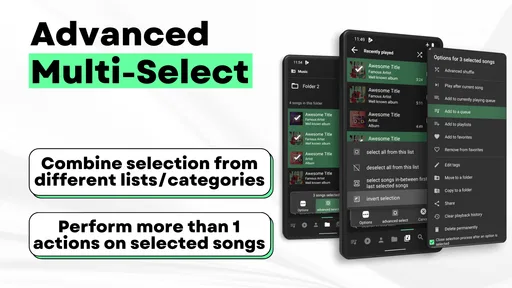
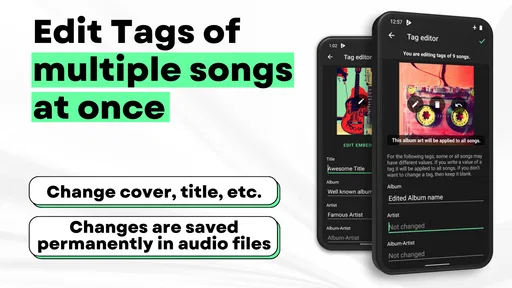
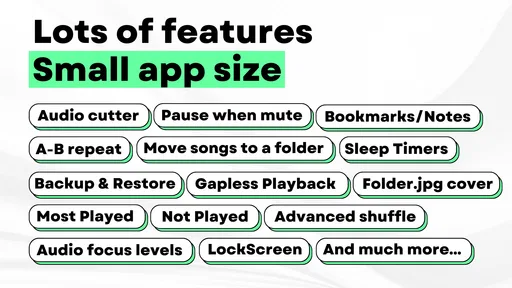
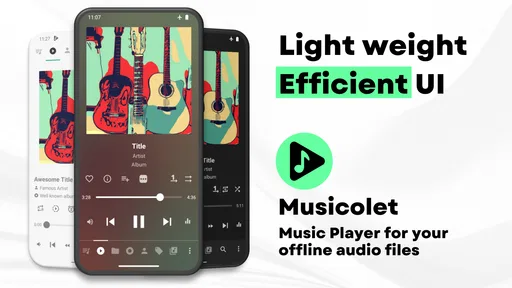
 Analysis by AppCompare
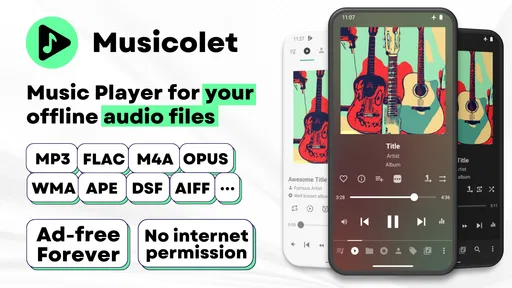
I like local-music players best when they make my own collection feel easy to use instead of nudging me toward a streaming subscription. That is the appeal of Musicolet Music Player: it is an Android music and audio app from Krosbits, built around listening to music stored on your device. It is free to get, rated for Everyone, and has grown to over 10 million installs. For someone with albums, playlists, and individual tracks already saved on a phone, it offers a more hands-on alternative to services that put online discovery first.
A focused player for music you already have
Musicolet’s current appeal is its practical focus: browse a personal library, start playback, and make the listening setup your own. Its average rating is 4.7 from around 235,000 ratings, a strong sign that this straightforward approach has found an audience. I would still judge it by how well it fits your own habits, though. If you mostly ask an app to find new music for you, a streaming service is likely the better starting point.
A useful fit for a personal collection
The app’s offline orientation changes the day-to-day experience. You can listen to music you have on your device without relying on a network connection for playback, which is handy on a commute, while traveling, or in a place where reception is unreliable. It also means the app is not trying to replace your collection with an online catalogue; you remain responsible for the files and how they are organized.
That distinction matters when choosing between Musicolet and a typical streaming player. Streaming apps are usually more convenient for exploring unfamiliar artists and keeping a large online library at hand. Musicolet makes more sense when you have already chosen what to keep and want direct control over those tracks. I would see the two approaches as serving different routines rather than treating one as a universal replacement for the other.
Queues that suit changing plans
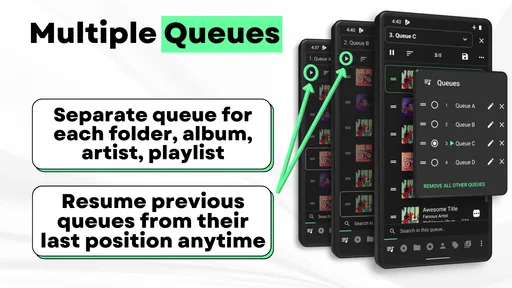
Multiple queues are more useful than they might sound at first. I can keep one listening order for a particular mood and another ready for a different activity, then switch without rebuilding the first from scratch. That works well when a workout, a focused work session, and a relaxed evening call for different music. It can also help when friends take turns choosing tracks: one queue can stay intact while another handles the temporary change.
A small habit makes this feature easier to use: prepare a queue before you need it, rather than trying to sort out the whole session while everyone is waiting. The trade-off is that queue control rewards a bit of organization. If you prefer an app to generate a fresh mix automatically, maintaining your own listening order may feel like unnecessary work.
Sound adjustments without changing apps
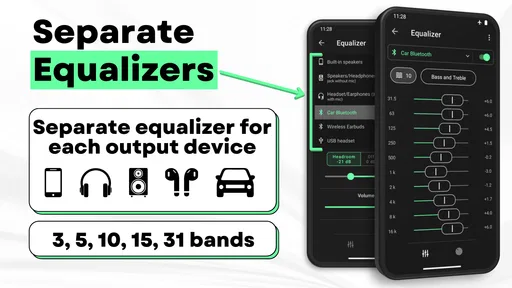
The equalizer gives you room to tune playback rather than accepting one sound profile for every pair of headphones or every setting. Separate equalizers are part of Musicolet’s appeal, letting you approach different listening situations independently. I would make small changes and listen to familiar tracks before making stronger adjustments; a setting that flatters one album can make another sound less natural.
Worth Reading Before You Choose

Flipboard Shows What News Apps Must Do Beyond the Feed

Switching to Android Auto Means Rethinking Your Driving Routine

Google Calendar Makes a Crowded Week Easier to Manage

Ludo King Makes the Most of the Minutes Between Plans

Baby Panda World Brings Quick Play to Modern Phones, but Its Game Library Feels Busy

ESPN’s Live Game View Makes Following Close Games Easier
This is especially practical if you switch between headphones and a car stereo, or if you listen to music with noticeably different recording styles. The convenience is having controls close to the player instead of needing another app for basic sound shaping. The limit is that an equalizer cannot fix a poorly recorded file or make every speaker sound alike, so I would treat it as fine-tuning, not a cure-all.
Lyrics and library upkeep
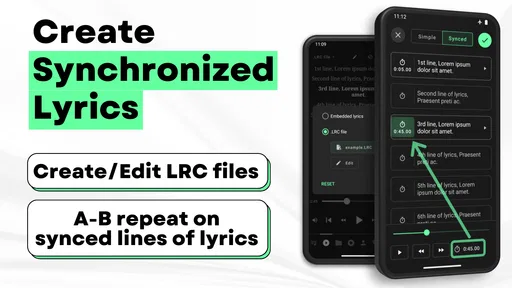
Lyrics support can turn a familiar album into a more active listening session, while synchronized lyrics are a useful extra for following a song line by line. Their value depends on whether you enjoy reading along and whether the tracks in your collection are set up for that experience. If lyrics matter to you, it is worth checking how they behave with the songs you listen to most rather than assuming every file will be equally ready.
The tag editor is a less flashy feature but can pay off over time. Correcting inconsistent artist or album details helps a personal library feel less scattered when you browse it. I would tackle a few messy albums at a time, especially if your collection includes files gathered from different sources. It is not a substitute for careful file management, but it can make the collection easier to navigate without moving your listening routine elsewhere.
The app has been available since June 24, 2016, and has accumulated around 11,000 written reviews alongside its ratings. That history suggests a long-running product rather than a newly launched experiment, but it does not tell me what has changed in a particular release. I would not assume a recent update from the app’s age alone; when version details matter, check the current app page before installing or updating.
What existing users should weigh
If you already use Musicolet, the strongest reason to keep it is a settled local-music workflow: your collection is on hand, queues give you room to plan, and playback tools sit within the same app. Before changing your setup, think about which habits you rely on most. Someone who mainly uses playlists may care more about quick library browsing, while someone who adjusts sound often may value the equalizer controls more.
For a major device change or a fresh installation, I would also make sure the music files themselves are available where I expect them to be. An offline player can only play the collection it can access, so keeping an independent copy of important tracks is sensible. This is a practical distinction from streaming libraries, where saved access is tied to the service and its own catalogue.
Musicolet is free, with in-app purchases listed from $8.99 to $159.92 per item. I would look at the purchase screen itself before paying, and decide whether any offered option solves a need I actually have. The basic reason to try the app is its local playback and control, not the assumption that spending is required to make it useful.
Where the focused approach can feel limited
The same focus that makes Musicolet appealing also narrows its audience. If you expect one app to provide an online catalogue, recommend new releases, and manage downloaded files in the same way as a streaming service, this is not the choice I would reach for first. It is a player for a collection you bring to it, so the quality of your file organization affects how satisfying browsing feels.
There is also a learning trade-off in having several ways to shape playback. Multiple queues, equalizer options, lyrics, and tagging can be useful, but someone who only wants to press play may prefer a simpler interface with fewer decisions. I would start with the library and basic playback, then explore the extra controls only when a real need comes up. That keeps the app from feeling more complicated than the listening task requires.
Musicolet is an Android app, so it is not the right pick if you need the same setup on an iPhone. In that case, I would look for a local player designed for the device you use rather than assuming this app will carry over. Likewise, people who depend on cloud syncing across devices should compare services that make that workflow central; a local-first player is a different kind of tool.
A realistic way to use it
Imagine getting ready for a long journey the night before. You can make sure the albums you want are stored on your phone, set up a queue for the trip, and keep another queue ready for a change of mood without rebuilding the first one. If you like singing along, lyrics may add something to the ride; if you prefer a softer sound through headphones, a modest equalizer adjustment can help. The useful point is that the preparation stays tied to your own collection, rather than depending on finding a signal or searching a catalogue on the way.
For a different routine, a listener with a carefully tagged collection can use artist and album browsing to move between records instead of relying on one enormous playlist. If the library has inconsistent names, fixing tags gradually can make that browsing more rewarding. These are small habits, but they show where Musicolet’s tools work best: they reward people who want to shape their own listening rather than hand every decision to an algorithm.
Who I would recommend it to
I would recommend Musicolet to Android users who already keep music on their devices, like arranging their own listening, and want useful playback controls in one place. It is especially suited to listeners who move between activities and benefit from separate queues, or who care enough about sound to adjust an equalizer. People who maintain a personal collection may also appreciate having a tag editor nearby when a library becomes untidy.
I would steer someone toward a streaming alternative if the main goal is effortless access to a vast online catalogue, personalized discovery, or a single music library shared across devices. I would also suggest a simpler player to anyone who finds queue and sound controls distracting. The right choice depends less on which app has the longest feature list and more on whether you want to curate your own files or have a service curate music for you.
Musicolet comes from Krosbits, and its long presence in the category is reflected in a substantial base of users. Still, popularity is only useful context; it cannot tell you whether your files are organized in a way you enjoy browsing or whether the controls suit your preferences. I would try it with a representative part of your collection first, then decide whether its workflow feels natural before committing to reorganizing everything around it.
What I would keep an eye on
For current and longtime users alike, the sensible thing to watch is whether future releases continue to support the habits that make a local player worthwhile: dependable browsing of your collection, clear queue handling, and useful playback adjustments. I would check release information when updating if a particular feature is essential to your setup, rather than assuming that the app’s history guarantees a specific change. That keeps expectations grounded while leaving room for the product to evolve.
I also see synchronized lyrics as a feature whose usefulness depends on the way you listen, not a reason by itself to choose a player. If you use lyrics often, try them with the tracks that matter to you; if you rarely look at a screen while music plays, queue control or simple offline access may be more relevant. Matching the app’s extras to your real routine is a better test than trying to use every tool just because it is available.
When I first launch Musicolet Music Player, I notice its clean and straightforward interface. It is not cluttered with unnecessary features or ads, which is already a win in my book. The design is intuitive, making it easy for anyone to navigate, even if you are not the most tech-savvy person out there.
The app prioritizes functionality over flashiness, which is refreshing. The main screen neatly organizes your music library, and everything is just a tap away. You can easily browse by albums, artists, playlists, or genres. It is all about getting you to your tunes as quickly as possible.
Offline Playback and Equalizer
One of the standout features for me is the ability to play music offline. This means you are not chewing through your data while jamming to your favorite tracks. Plus, it supports a wide range of audio formats, so you are not limited to just MP3 files.
The built-in equalizer is another highlight. You can tweak the sound to your liking with various presets or dive into the custom settings if you are feeling adventurous. Whether you are into bass-heavy beats or crisp vocals, there is something here for everyone.
Queue Management and Playlists
Managing your music queue is a breeze with Musicolet. You can create and manage multiple queues, which is a lifesaver when you are in the mood to switch up your listening vibe. This feature is particularly useful if you are hosting a party and want to line up different genres or artists without a hitch.
Playlists are also simple to create and manage. You can easily add or remove songs with a few taps. It is all about giving you control over your listening experience without the hassle.
Additional Perks
Musicolet also comes with some neat extras that enhance the overall experience. The lyrics support is a fun addition, letting you sing along to your favorite tracks without missing a beat. For those of us who love diving into every detail, the tag editor is a handy tool for organizing and customizing your music files.
And let us not forget about the sleep timer. If you are someone who loves drifting off to music, this feature will let you set the app to stop playing after a certain time. Sweet dreams guaranteed!
Privacy and Performance
Privacy is a big deal these days, and Musicolet respects that. It does not require any unnecessary permissions, which is a relief. The app runs smoothly without any noticeable lags or crashes. It is lightweight, so it will not hog your device’s resources.
In a world where many apps bombard you with ads and demands for your data, Musicolet stands out by keeping things simple and respectful. It is all about the music, as it should be.
So, if you are on the lookout for a reliable, no-nonsense music player that focuses on delivering a great listening experience, give Musicolet Music Player a try. It is packed with features that matter and skips the fluff. Trust me, your ears will thank you!
Pros
- Offline playback without ads
- Lightweight and battery-friendly
- Multiple queues management
- Supports a wide range of audio formats
- No unnecessary permissions required
Cons
- Limited customization options
- No streaming or online features
- Basic user interface design
- No equalizer settings
- Lacks cloud backup options
FAQs for Musicolet Music Player
What are the key features of Musicolet Music Player?
Musicolet Music Player is known for its offline capabilities, allowing users to listen to music without an internet connection. It supports multiple queues, enabling users to manage different playlists simultaneously. The app also features a built-in equalizer, tag editor, and folder browsing for easy music management. It's lightweight, ad-free, and offers a clean, user-friendly interface.
Does Musicolet Music Player support various audio formats?
Yes, Musicolet Music Player supports a wide range of audio formats including MP3, AAC, OGG, and FLAC, among others. This versatility ensures that users can enjoy high-quality audio playback across different file types, making it a great choice for those with diverse music libraries.
Is Musicolet Music Player free to use?
Musicolet Music Player is completely free to download and use. Unlike many other music players, it does not include in-app purchases or advertisements. This ensures an uninterrupted listening experience, allowing users to focus solely on their music without any disruptions.
Can I customize the interface of Musicolet Music Player?
Yes, users can customize the interface of Musicolet Music Player to suit their preferences. It offers various themes and layout options, enabling personalization of the app's appearance. This enhances user experience by allowing them to adjust the visual aspects according to their taste.
How does Musicolet handle music organization and playback?
Musicolet excels in music organization with features like multiple queues, intuitive folder browsing, and a powerful tag editor. Users can create and manage playlists easily and edit song tags to keep their library organized. The app ensures smooth playback with options for gapless playback and a sleep timer.


